



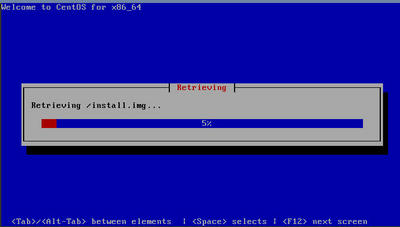
1、脚本一
升级前必要准备
Debian series(Debian / Ubuntu / Kali):
apt update -yapt install wget -yRedHat 7+, grub2(CentOS / AlmaLinux / CloudLinux / RockyLinux / OracleLinux / Fedora / VzLinux / ScientificOS / RedHat Enterprise Linux / Tencent OpenCloudOS / AWS AmazonLinux / AlibabaCloudLinux or AliyunLinux / OpenAnolis)
yum install wget -yor (for Redhat 8+):
dnf install wget -yAlpine Linux:
apk updateapk add bash wgetsed -i 's/root:\/bin\/ash/root:\/bin\/bash/g' /etc/passwd下载系统
国外机器下载地址
wget --no-check-certificate -qO InstallNET.sh 'https://raw.githubusercontent.com/leitbogioro/Tools/master/Linux_reinstall/InstallNET.sh' && chmod a+x InstallNET.sh国内机器下载地址
wget --no-check-certificate -qO InstallNET.sh 'https://gitee.com/mb9e8j2/Tools/raw/master/Linux_reinstall/InstallNET.sh' && chmod a+x InstallNET.sh快速安装系统
Debian12
bash InstallNET.sh -debianCentos9
bash InstallNET.sh -centosUbuntu 22.04
bash InstallNET.sh -ubuntuWindows 11 Pro
bash InstallNET.sh -windows系统用户名
Linux
rootWindows
Administrator系统密码
Linux
LeitboGi0roWindows
Teddysun.comLinux系统DD完成后必要设置
升级系统
apt update -y安装必要命令(Debian为例)
apt install wget curl sudo vim git unzip -y2、脚本二
脚本地址
https://github.com/bin456789/reinstall
下载系统
Linux
国外机器下载
curl -O https://raw.githubusercontent.com/bin456789/reinstall/main/reinstall.sh || wget -O ${_##*/} $_国内机器下载
curl -O https://cnb.cool/bin456789/reinstall/-/git/raw/main/reinstall.sh || wget -O ${_##*/} $_Windows
请先关闭 Windows Defender 的 实时保护 功能。该功能会阻止 certutil 下载任何文件。
国外机器下载
certutil -urlcache -f -split https://raw.githubusercontent.com/bin456789/reinstall/main/reinstall.bat国内机器下载
certutil -urlcache -f -split https://cnb.cool/bin456789/reinstall/-/git/raw/main/reinstall.bat安装系统
所有功能 都可在 Linux / Windows 下运行
Linux 下运行
bash reinstall.sh ...Windows 下先运行
cmd,再运行reinstall.bat ...如果参数中的链接包含特殊字符,要用
""将链接包裹起来,不能用''
安装系统对应名称及要求
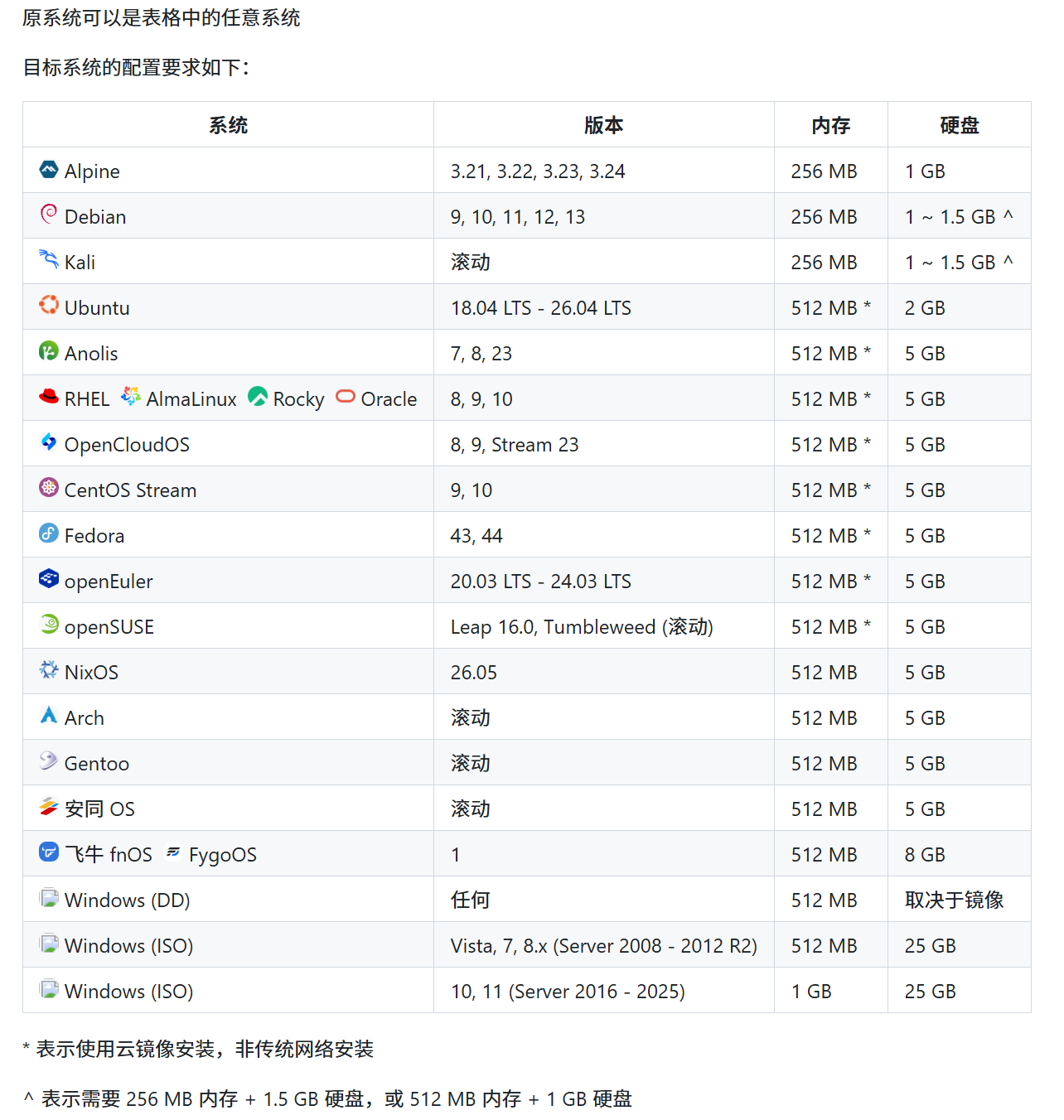
Warning
本脚本理论上支持独服和 PC
但如果能使用 IPMI 或 U 盘,则不建议使用本脚本
Warning
❌ 本脚本不支持 OpenVZ、LXC 虚拟机